

GitHub Issues Configuration
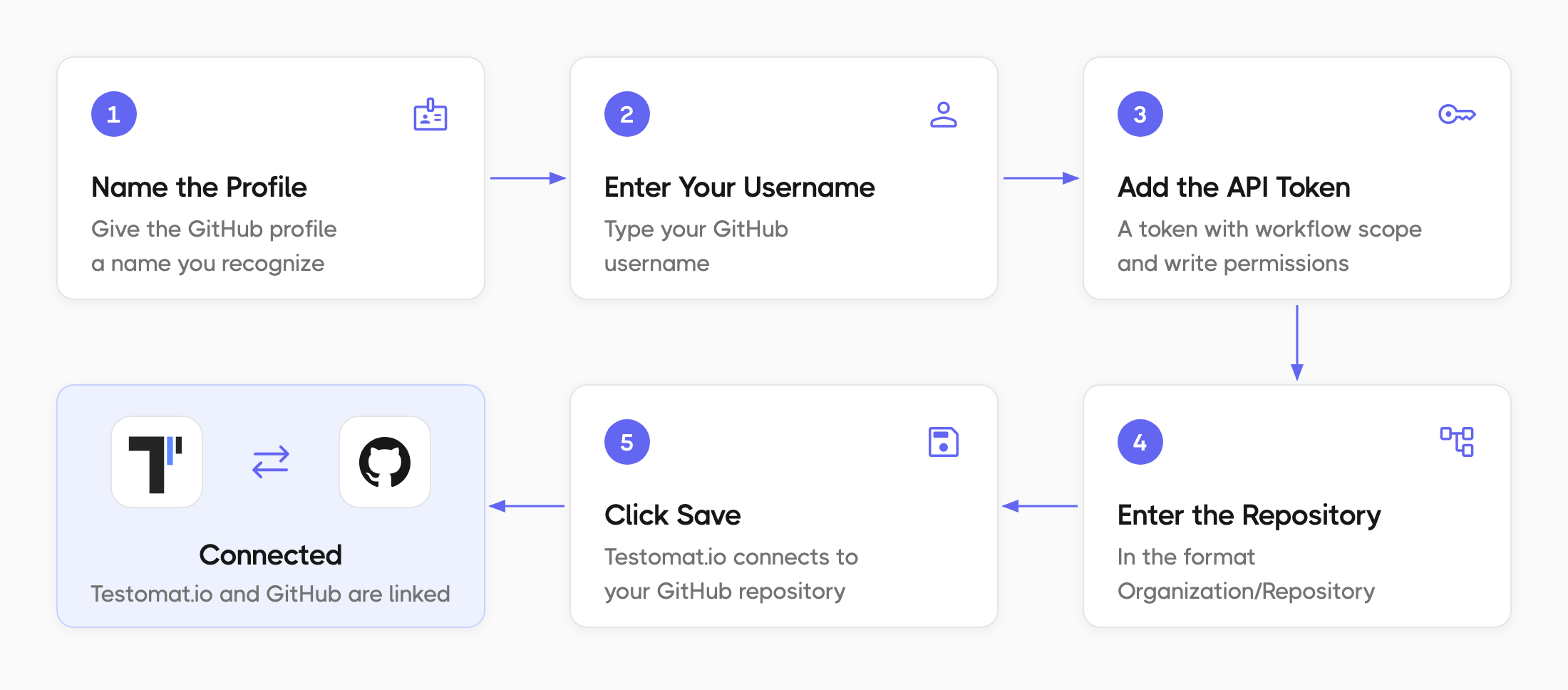
- Give a name to your profile
- Enter your GitHub Username
- Enter your GitHub API Token with access to workflow scope and write permissions (learn more)
- Enter your GitHub Organization/Repository
- Click on Save button
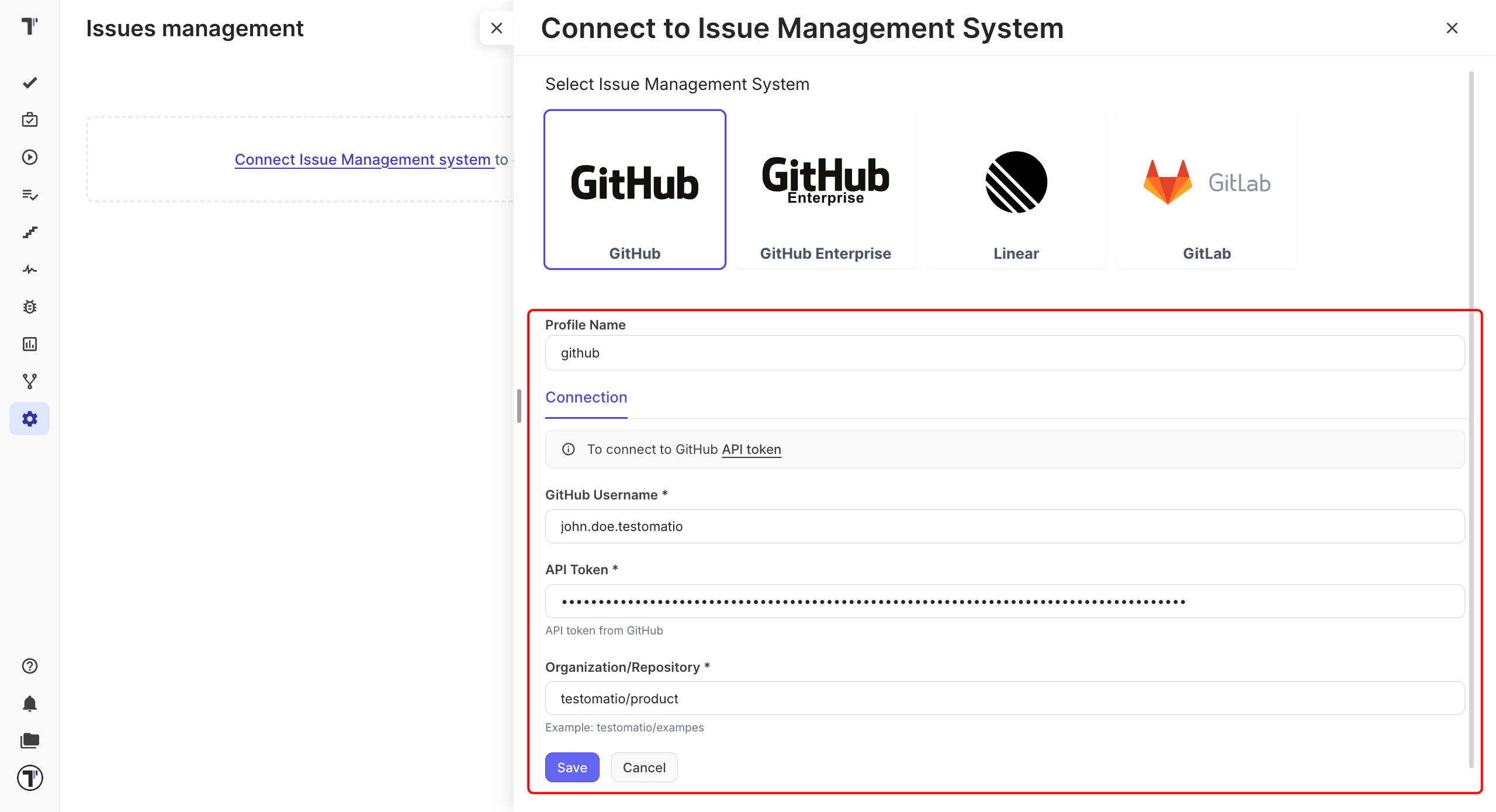
Once your Issues Management System is configured you can link a test or create a defect. As a result, Testomat.io will create a ticket in your GitHub project with dedicated links and data, so you can easily look through the testing data you need. Here is an example:
Connect GitHub Enterprise
Section titled “Connect GitHub Enterprise”If your repository is on GitHub Enterprise Cloud (*.ghe.com) or GitHub Enterprise Server, select GitHub Enterprise instead of GitHub, and fill in GitHub Enterprise API URL:
- GitHub Enterprise Cloud with data residency:
https://api.<your-tenant>.ghe.com; - GitHub Enterprise Server:
https://github.<your-company>.com/api/v3.
The other fields are the same as for GitHub: GitHub Username, API Token (created in your GitHub Enterprise), and Organization/Repository.